
If your automatic cat feeder isn’t working right or you want to start fresh with new settings, knowing how to reset it is key. Whether your feeder is stuck, not dispensing food on time, or showing error lights, a quick reset can often fix the problem.
In this guide, you’ll learn simple, step-by-step methods to reset your automatic cat feeder easily and safely. By following these tips, you’ll get your feeder back on track, so your furry friend never misses a meal. Keep reading to find out exactly what to do and avoid common mistakes that could cause frustration.
Reset Basics
Resetting an automatic cat feeder can fix many common issues. It helps clear errors and restores normal function. Knowing the reset basics saves time and keeps your pet’s feeding schedule on track.
Most feeders have simple reset options. Understanding when and how to reset ensures you do it correctly. This section covers the essential details to get started.
When To Reset Your Feeder
Reset your feeder if it stops dispensing food. Also reset if the timer or portion size is wrong. Power failures or low batteries may cause errors that need a reset. Resetting helps clear jams or sensor problems. Use reset if the feeder does not respond to commands.
Common Reset Methods
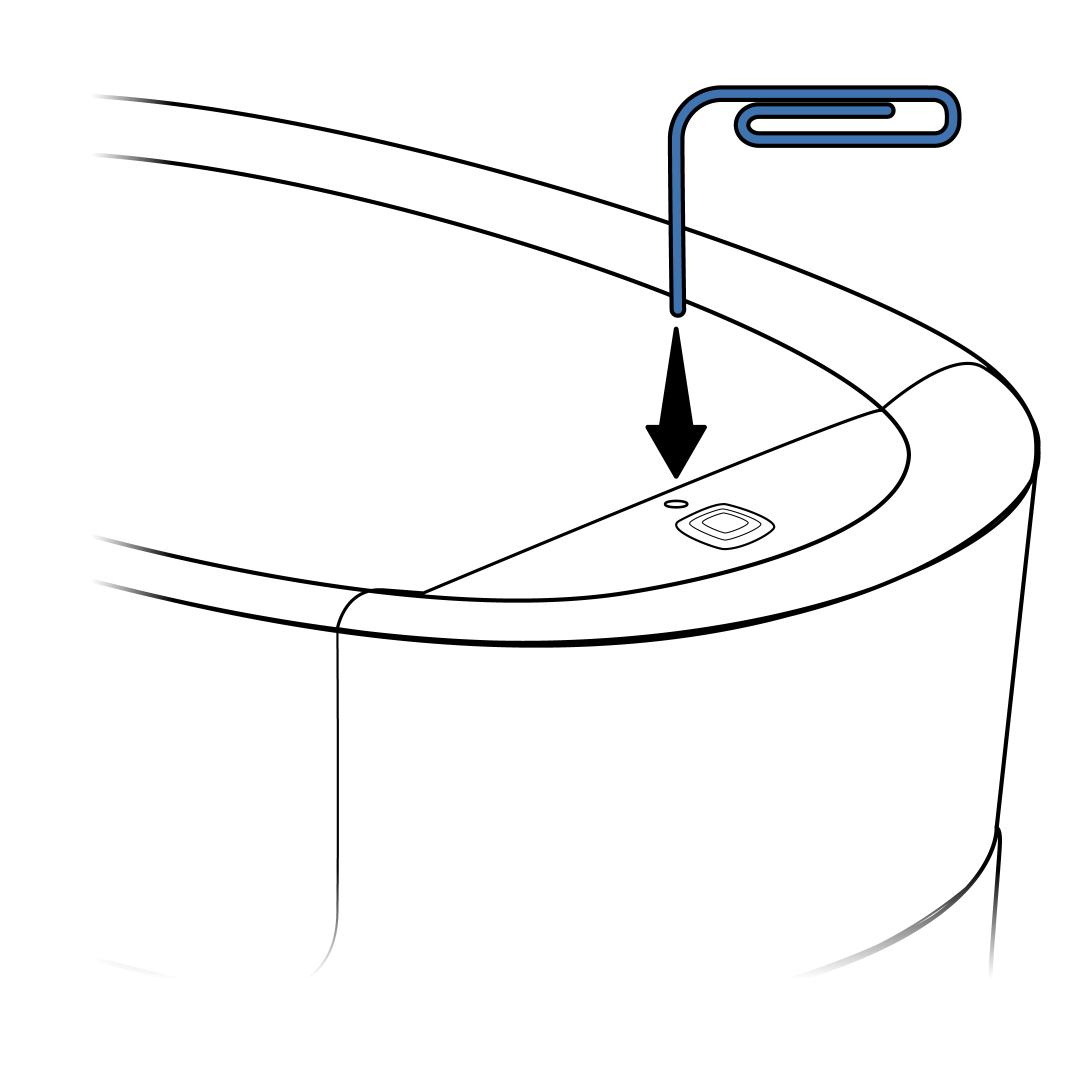
The most common reset method is pressing the reset button. This button is usually small and may need a paperclip to press. Some feeders reset by unplugging and plugging back in. Others require removing batteries for a few minutes. Follow the feeder’s manual for model-specific steps. After reset, reprogram the feeding times and portions.
Credit: support.petsafe.net
Step-by-step Reset Guide
Resetting your automatic cat feeder can solve many common issues. This step-by-step guide will help you perform different types of resets. Follow each method carefully to get your feeder working smoothly again.
Power Cycle Reset
Unplug the feeder from the power source. Wait for about 30 seconds. Plug it back in to restart the system. This simple reset clears minor glitches. It does not erase your settings or timer.
Factory Reset Procedure
Locate the reset button on your feeder. It is usually small and recessed. Use a paperclip or pin to press and hold the button. Hold it for 10 seconds until the lights blink or the feeder beeps. Release the button to complete the reset. This will erase all settings and return the feeder to its original state.
Resetting The Timer And Portions
Access the feeder’s control panel or app. Find the timer and portion controls. Delete the existing schedule or feeding amounts. Enter your new feeding times and portion sizes. Save the changes to update the feeder. This reset adjusts feeding routines without affecting other settings.
Brand-specific Reset Tips
Resetting an automatic cat feeder often depends on the brand. Different brands use different reset methods. Knowing your feeder’s brand will help you reset it correctly. Below are brand-specific reset tips for popular models.
Petsafe Feeders
PetSafe feeders usually have a simple reset process. First, remove the food tray. Check for any stuck food or debris. Press and hold the reset button for 5 seconds. If your model has no reset button, remove and reinsert the batteries. Align the food cups carefully before restarting. Replace batteries if the feeder does not reset.
Petlibro Models
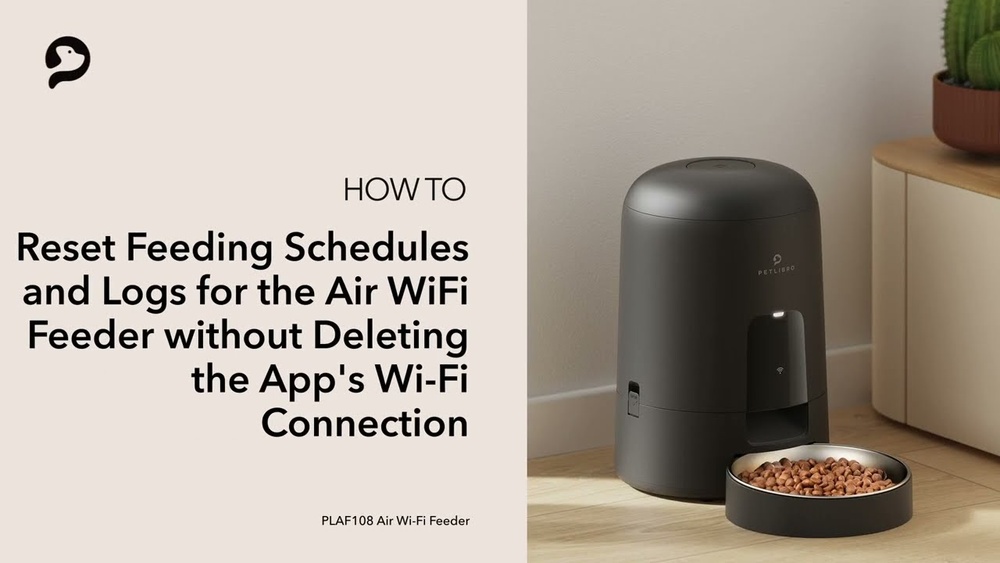
Petlibro feeders use a digital display for settings. To reset, press and hold the power button for 10 seconds. The display will go blank then restart. Clear any programmed feeding times after reset. Make sure the feeder is connected to Wi-Fi if it is a smart model. Remove and reinsert the power adapter if needed.
Surefeed Devices
SureFeed feeders require a different approach. Remove the bowl and clean the sensor area. Press the reset button located on the back of the device. Hold it for 3 seconds until the light flashes. Replace batteries if the light does not flash. Reprogram feeding times after resetting the device.
Other Popular Brands
For other brands, start by unplugging the feeder. Remove all power sources including batteries. Wait 30 seconds before reconnecting power. Look for a reset button or consult the user manual. Many brands require holding a combination of buttons to reset. Clean the feeder thoroughly to avoid sensor issues.
Troubleshooting Common Issues
Automatic cat feeders make feeding easy but sometimes they can stop working right. Troubleshooting common issues helps bring them back to normal. This saves time and keeps your cat happy. Focus on simple fixes first. Check for food jams, power problems, and connection errors.
Clearing Food Jams
Food jams block the dispenser and stop the feeder. Remove the food bowl carefully. Look inside for stuck food pieces or crumbs. Use a soft brush or cloth to clear the path. Avoid using water inside the feeder. Make sure the food is dry and not clumped together. Refill the bowl with dry kibble only. Align the food cup with the opening before restarting the feeder. Test the feeder to see if it moves smoothly.
Battery And Power Checks
Check the battery level if your feeder uses batteries. Replace old or weak batteries with fresh ones. Use the same brand and type to avoid power issues. If your feeder plugs into the wall, ensure the power cord is fully connected. Try a different outlet to confirm power supply. Some feeders use batteries only as backup power. Keep the feeder plugged in for best performance. Low power can cause the feeder to stop or reset randomly.
Wifi And Connectivity Problems
Smart feeders often rely on WiFi for scheduling. Check your internet connection strength near the feeder. Restart your router if the connection is weak. Ensure the feeder is within range of your WiFi signal. Reconnect the feeder to your network using the app or control panel. Sometimes resetting the feeder’s network settings helps. Avoid changing WiFi passwords often as this may disrupt the feeder. Keep your feeder firmware updated to prevent bugs affecting connectivity.
Maintenance For Smooth Operation
Maintaining your automatic cat feeder ensures it works reliably every day. Simple care can prevent feeding issues and keep your pet happy. Regular attention helps avoid jams, misfeeds, and technical glitches.
Follow these maintenance tips for smooth operation. Clean parts, replace batteries, and update software often. These steps keep your feeder running well and your cat fed on time.
Regular Cleaning Tips
Clean the feeder’s food tray and bowl regularly. Remove leftover food to avoid mold and pests. Wipe down surfaces with a damp cloth. Avoid harsh chemicals that could harm your cat. Check the dispensing mechanism for stuck food pieces. Use a soft brush to clear any blockages. Dry all parts before reassembling to prevent moisture damage.
Battery Replacement Advice
Replace batteries when the feeder shows signs of low power. Weak batteries cause feeding errors or stop the feeder. Use fresh batteries of the recommended type. Avoid mixing old and new batteries together. Remove batteries if the feeder won’t be used for long. Keep spare batteries nearby for quick replacement. Check battery contacts for corrosion and clean if needed.
Software Updates And App Sync
Keep your feeder’s software updated for best performance. Manufacturers release updates to fix bugs and add features. Connect the feeder to your app regularly to sync settings. Follow instructions to download and install updates. Updates improve feeding schedules and alert functions. Restart the feeder after updates to apply changes. Check the app for error messages or alerts often.
Credit: support.petsafe.net
Credit: www.youtube.com
Frequently Asked Questions
How Do You Reset The Button On The Smart Pet Feeder?
To reset the button on your smart pet feeder, press and hold the reset button for 5-10 seconds. Release it when the indicator light flashes. This will reboot the device and clear errors. Check the user manual for model-specific instructions to ensure proper reset.
How Do I Set The Time On My Automatic Cat Feeder?
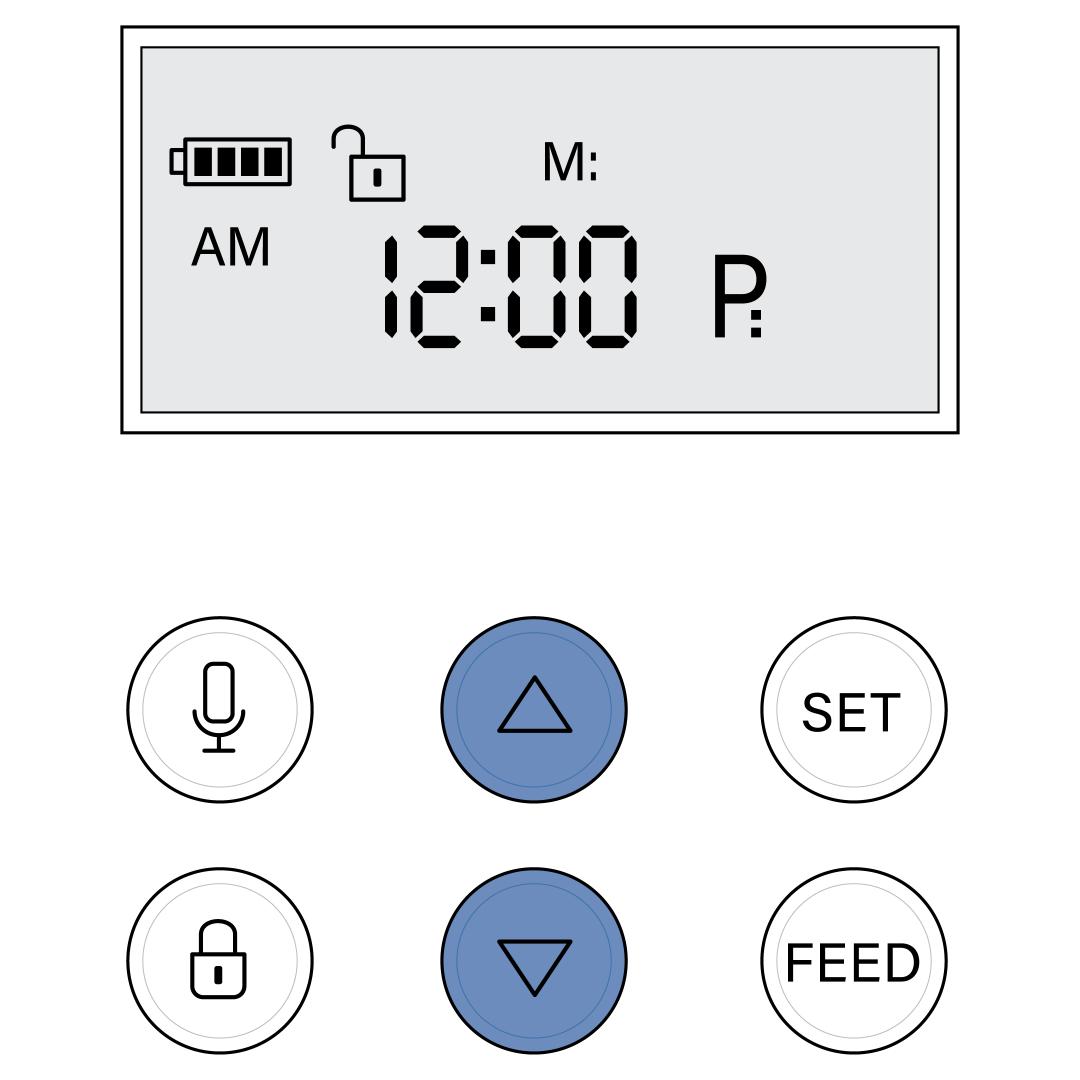
Press the “Set” or “Clock” button on your feeder. Use the arrow keys to adjust hours and minutes. Confirm the time by pressing “Set” again.
How To Factory Reset Sure Pet Feeder?
To factory reset the Sure Pet Feeder, remove the lid by unclipping it. Hold the unit on and press the reset button until it restarts. Clean any food jams before resetting to ensure proper operation. Replace batteries if issues persist.
Why Is My Automatic Pet Feeder Not Working?
Check power connection and outlet function. Clear any jammed food or debris in the feeder. Replace weak batteries. Align food compartments properly. Reset the device following the manufacturer’s instructions.
Conclusion
Resetting your automatic cat feeder keeps your pet’s routine on track. Start by cleaning the feeder and checking for blockages. Align parts carefully and replace batteries if needed. Follow the specific steps for your feeder model. Regular resets help avoid feeding errors and keep your cat happy.
Simple care and attention make a big difference. Your cat deserves a smooth feeding experience every day.